English quick take
Use two separate references, state the exact number of people, keep the composition simple, and inspect each face separately before you judge the costumes.
 GirigoApp.com
AI Studio field note 5 min read
Two faces are harder than one. This guide covers separate references, identity anchors, composition, and the exact checks that catch a swapped or merged face.
English quick take
Use two separate references, state the exact number of people, keep the composition simple, and inspect each face separately before you judge the costumes.
Field note
A model that handles one face well can still fail at two. It may swap the faces, merge them into a hybrid, or add a third person to balance the frame. The problem is not that the model cannot count; it is that the prompt and the reference do not give it a clear separation between the two identities. A single group photo with two small faces is especially risky.
The fix is structural. Use two separate photos, one per person. Name each person's costume and position. State "exactly two people" in the prompt and the negative constraints. Keep the composition simple enough that each face has enough pixels to survive the edit.
Field note
Crop each person into a clear reference image with even light and a neutral expression. If one person has a stronger photo, use it for both; consistency matters more than matching the original group shot. Write down which person wears which costume before you write the prompt. Ambiguity in the assignment is how the model ends up swapping the outfits.
A waist-up composition is easier than a full-body scene because the faces are larger. If you want a full-body costume shot, generate a waist-up test first. Once both faces are stable, expand the frame or generate a second image with the full-body composition.
Field note
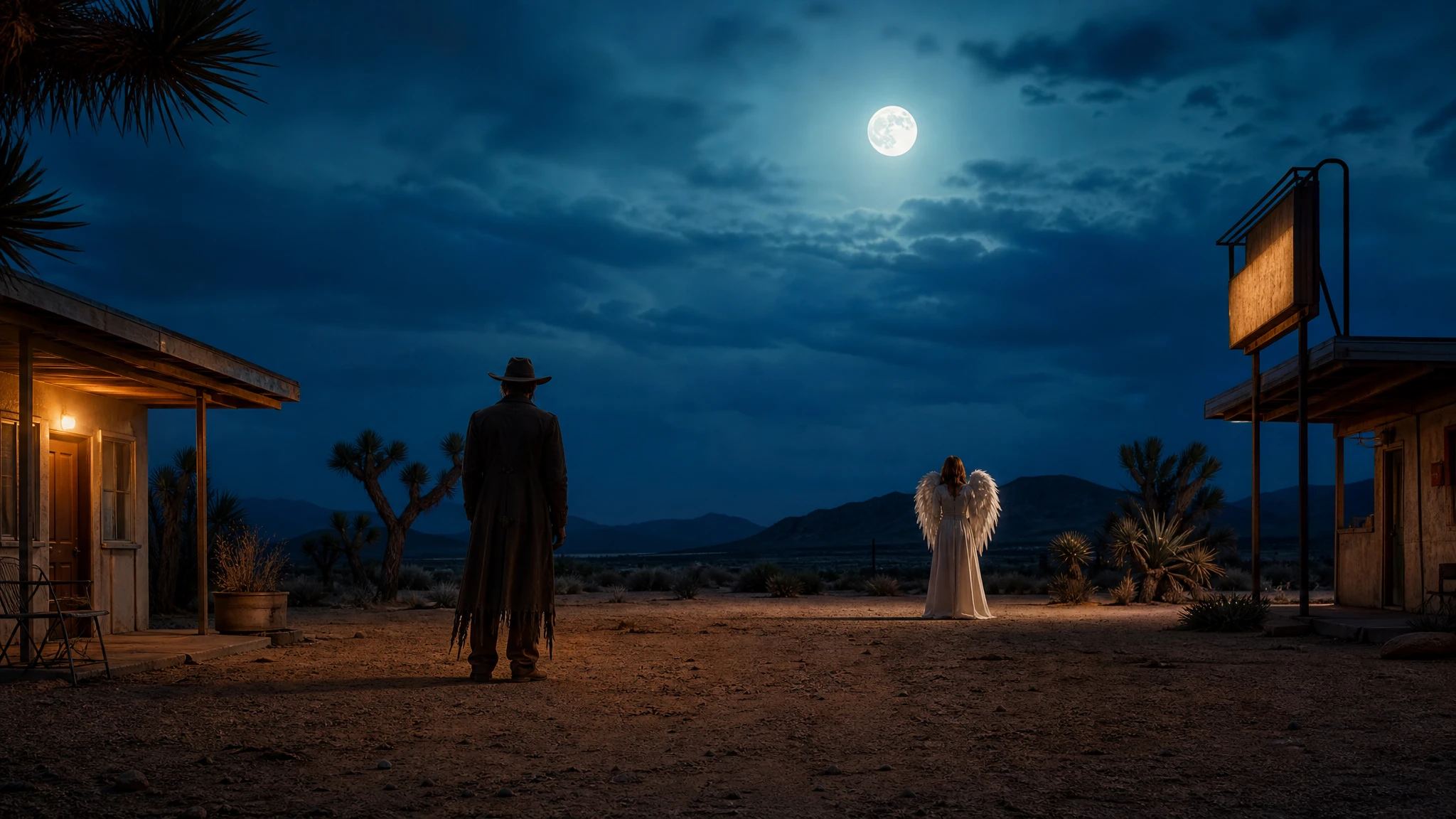
The Cowboy and Angel recipe uses the two uploaded photos as separate identity references. It preserves both faces, skin tones, approximate ages, body proportions, and natural anatomy. It then assigns one western coat and one angel costume, states exactly two people, and places them in a moonlit desert motel courtyard.
The negative constraints are the important part: no face swap, no merged faces, no third person, no duplicated limbs, no text, no watermarks. If the model adds a third person, do not add more style words; reduce the background complexity and repeat the people count.
Field note
Use a model that explicitly supports multi-image references. Replicate is useful for comparing several routes with the same prompt. Kie and WaveSpeed offer character-focused routes that can help when both faces need to stay close to the references. fal is useful when you want a fast queue for several composition tests.
Do not assume that a model with strong single-face identity will automatically handle two faces. Test it with a simple waist-up composition before you ask for a complex scene.
Field note
First, check each face separately against its reference. Second, check that the costumes are on the correct person. Third, check the hands where the two people meet; that is where merged limbs appear. Fourth, count the people. If there are three, stop and fix the composition before you judge the lighting.
If one face drifts, fix that reference or that person's clause. Do not change both costumes and both faces in the same run. One change at a time is slower in the short term and faster overall.
Field note
Both people should agree to the edit before you publish it. If the image is for a save-the-date, an invitation, or a couple's profile, disclose that it is AI-assisted where appropriate. Do not use a couple portrait to imply that a real photographer took the image.
The studio page gives you a local crop-and-grade preview, three coordinated costume recipes, and a provider table. It does not upload the photos, and it does not generate a third person on a hidden server. The rest is a careful, one-change-at-a-time workflow.
Embedded studio
Open the studio
Two-person prompts need a different structure: name both people, lock both identities, state the exact number of people, and describe how the costumes relate. The local editor helps you test the crop before you spend credits.
Use the two uploaded photos as separate identity references. Preserve both people's recognizable faces, skin tones, approximate ages, body proportions, and natural anatomy. Create a coordinated Halloween couple portrait: one person in a weathered western coat, dark hat, and dusty boots; the other in a soft ivory angel costume with feathered wings and a simple silver halo. Keep exactly two people in the image. Place them in a moonlit desert motel courtyard with one warm sign and a dark blue sky. Use photorealistic editorial photography, realistic fabric, and cinematic side lighting. Do not swap faces, merge the two faces, add a third person, duplicate limbs, or add text and watermarks.
Model routing
| Provider | Best for | Typical route | Docs |
|---|---|---|---|
| ReplicateExperiment-first | Broad catalogue for experiments and batch comparisons | Community and first-party image/video models | Docs |
| falSpeed-first | Fast hosted queues and strong model coverage | FLUX, Kling, and other hosted media models | Docs |
| KieCharacter-first | Nano Banana image edits and Kling video routes | Nano Banana, Kling video | Docs |
| WaveSpeedBudget-first | Low-cost image edits and image-to-video drafts | Seedream edit, FLUX Kontext, Wan image-to-video | Docs |
| SeeAPIRouting layer | One API surface for several model families and fallback routes | Image and video inference endpoints | Docs |
FAQ
It can work, but two separate references are more reliable. Crop each person into a clear reference image first.
It is trying to fill the scene. State exactly two people, simplify the background, and repeat the people count in the negative constraints.
Test a model that explicitly supports multi-image references. Compare one waist-up test before you commit to a provider.
Yes, with both people's consent and any AI disclosure required by the platform. Check the model license and do not imply official photography.
Checked sources