English quick take
Use an original costume direction, a three-quarter photo with visible hands, and one silhouette test before you generate a detailed fabric version.
 GirigoApp.com
AI Studio field note 6 min read
A costume preview is useful only if it helps you decide. This guide turns the costume generator into a structured test: silhouette first, fabric second, face and hands always.
English quick take
Use an original costume direction, a three-quarter photo with visible hands, and one silhouette test before you generate a detailed fabric version.
Field note
The useful question is not whether AI can draw a costume. It is whether you can see how a silhouette, color, and mood work on your body before you spend money on fabric or a rental. That is why the prompt should start with the photo, the pose, and the body proportions. The costume is a layer on top of a real person, not a replacement for one.
The second useful question is originality. If you ask for an exact replica of a protected character, you get a legal and ethical problem wrapped in a pretty image. Use the trend as a cue: the shape of a mascot, the color of a costume, the mood of a scene. Then ask for an original design that fits the person in the photo.
Field note
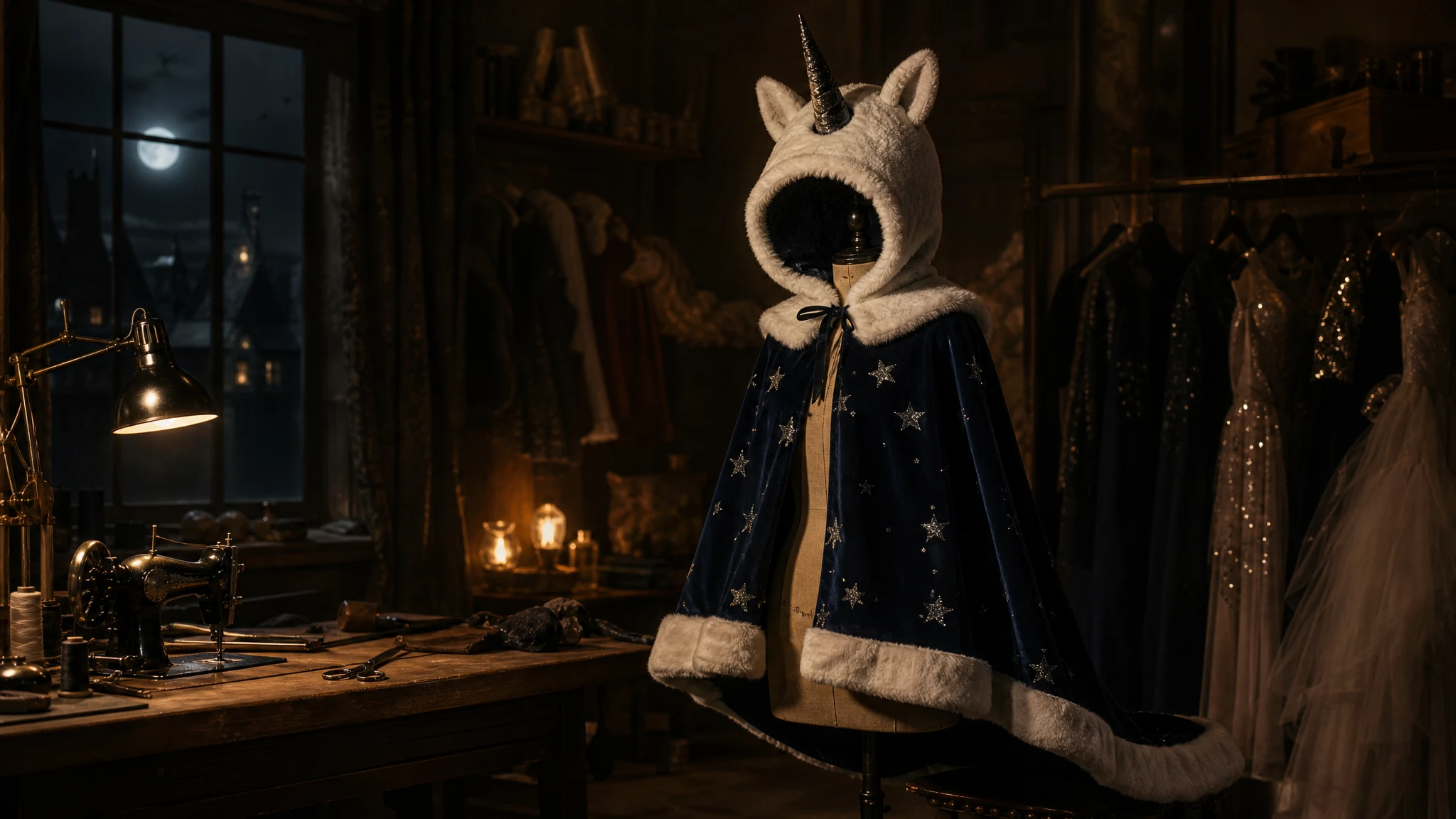
The Haunted Unicorn Mascot recipe is deliberately simple. It asks for a plush hood, one dark horn, a ruffled collar, and a midnight-blue cape. That is a silhouette a viewer can read at a glance. Once the silhouette works, you can add embroidery, texture, or a more complex prop. If you start with lace, sequins, and three accessories, you will not know which element broke the image.
Use a three-quarter or full-body photo with the arms visible. A face-only photo forces the model to invent a body, and invented bodies are where the proportions go wrong. If you only have a headshot, keep the costume to a hood or a collar and do not ask for a full-body scene.
Field note
The prompt on the studio page follows a fixed order: reference, identity invariants, costume shape, fabric, scene, lighting, people count, and negative constraints. When you adapt it, keep the first two blocks intact. Change the costume shape as a single clause, then the fabric as a single clause. Do not rewrite the whole prompt because one sleeve looks wrong.
The negative constraints matter as much as the positive description. "No new face, no extra limbs, no plastic skin, no readable logos" tells the model which failure modes you have already seen. It is not a guarantee, but it is a useful signal.
Field note
Kie's character-focused routes are useful when the costume has a strong silhouette and the face must stay close to the reference. WaveSpeed's Seedream edit routes are a sensible budget-first test for fabric and scene replacement. fal is useful when you want a fast queue for several silhouette variations. Replicate is useful when you want to compare multiple model families with the same prompt.
Do not assume a more expensive model will fix a bad composition. If the shoulders are wrong, the costume shape is wrong, or the face is drifting, a stronger model will simply produce a more detailed version of the same problem.
Field note
Check the face first, then the hands, then the waistline, then the fabric. The face and hands are where identity and anatomy fail. The waistline tells you whether the costume fits the body or floats in front of it. The fabric tells you whether the model understood the material. Only after those four checks should you judge the color palette.
If the costume is right but the scene is wrong, change the scene. If the scene is right but the costume is wrong, change the costume. Do not make both changes in the same run; you will lose the ability to learn from the result.
Field note
Use the local editor to test the crop and the color grade. Generate one low-cost silhouette test. If it works, generate one fabric test. If both work, generate one final image at a higher resolution. That is three generations instead of a dozen. Keep the unedited plate so you can try a different title or caption later.
The studio page is built around this sequence: a local preview, three original costume recipes, and a provider table. It will not tell you which costume to wear. It will help you see the idea before you spend money on it.
Embedded studio
Open the studio
Use the costume prompts as original interpretations, not exact copies of copyrighted characters. The local editor gives you a free silhouette and color test before you spend model credits.
Use the uploaded photo as the identity reference. Preserve the subject's face, skin tone, age, body proportions, and pose. Create an original haunted unicorn mascot costume: a soft ivory plush hood with a single dark horn, a ruffled collar, and a midnight-blue cape with tiny silver stars. The costume should look wearable and fitted, not like a full-body mascot suit. Place the subject in a foggy autumn fairground with one warm string light and a dark carousel in the background. Use photorealistic editorial costume photography, natural fabric texture, and soft cinematic light. Keep one person only. Avoid a new face, extra limbs, plastic skin, readable logos, and watermarks.
Model routing
| Provider | Best for | Typical route | Docs |
|---|---|---|---|
| KieCharacter-first | Nano Banana image edits and Kling video routes | Nano Banana, Kling video | Docs |
| WaveSpeedBudget-first | Low-cost image edits and image-to-video drafts | Seedream edit, FLUX Kontext, Wan image-to-video | Docs |
| falSpeed-first | Fast hosted queues and strong model coverage | FLUX, Kling, and other hosted media models | Docs |
| SeeAPIRouting layer | One API surface for several model families and fallback routes | Image and video inference endpoints | Docs |
| ReplicateExperiment-first | Broad catalogue for experiments and batch comparisons | Community and first-party image/video models | Docs |
FAQ
It is better to use the trend as a cue and ask for an original interpretation. Exact replicas can raise copyright and likeness issues.
A sharp three-quarter or full-body photo with even light and visible hands. Avoid group photos and heavy filters.
A budget edit route on WaveSpeed or a character-focused route on Kie is a sensible first test. Compare one run before a batch.
Yes. The local editor lets you test crop, grade, grain, and caption placement for free. It does not generate a new costume.
Checked sources