English quick take
Generate a vertical plate with deliberate negative space, then set the title and credits in the local editor. Do not ask the image model to spell the title.
 GirigoApp.com
AI Studio field note 5 min read
A poster is a photograph and a type system. This guide separates the two so the image model does the photograph and the local editor does the title.
English quick take
Generate a vertical plate with deliberate negative space, then set the title and credits in the local editor. Do not ask the image model to spell the title.
Field note
A K-drama poster has to do two things at once: create an emotional beat and make the title readable at thumbnail size. Image models are good at the first job. They are unreliable at the second. If you ask for a title, you often get broken letters or a logo that looks almost right. The practical workflow is to separate the photograph from the typography.
That separation also makes revision easier. If the title changes, you do not need to regenerate the image. If the image changes, the title layer can stay the same. Keep a text-free plate and a texted export.
Field note
A 2:3 vertical ratio is a familiar poster shape. A 4:5 ratio is better for social feeds. A 9:16 ratio is for stories and short video. Pick one before you generate and keep it through the workflow. If you generate a square image and crop it to a poster, you lose the composition you designed.
Reserve negative space at the top and bottom. The top is for the title; the bottom is for credits and a release line. If the image fills every corner, the title will sit on a busy background and become hard to read.
Field note
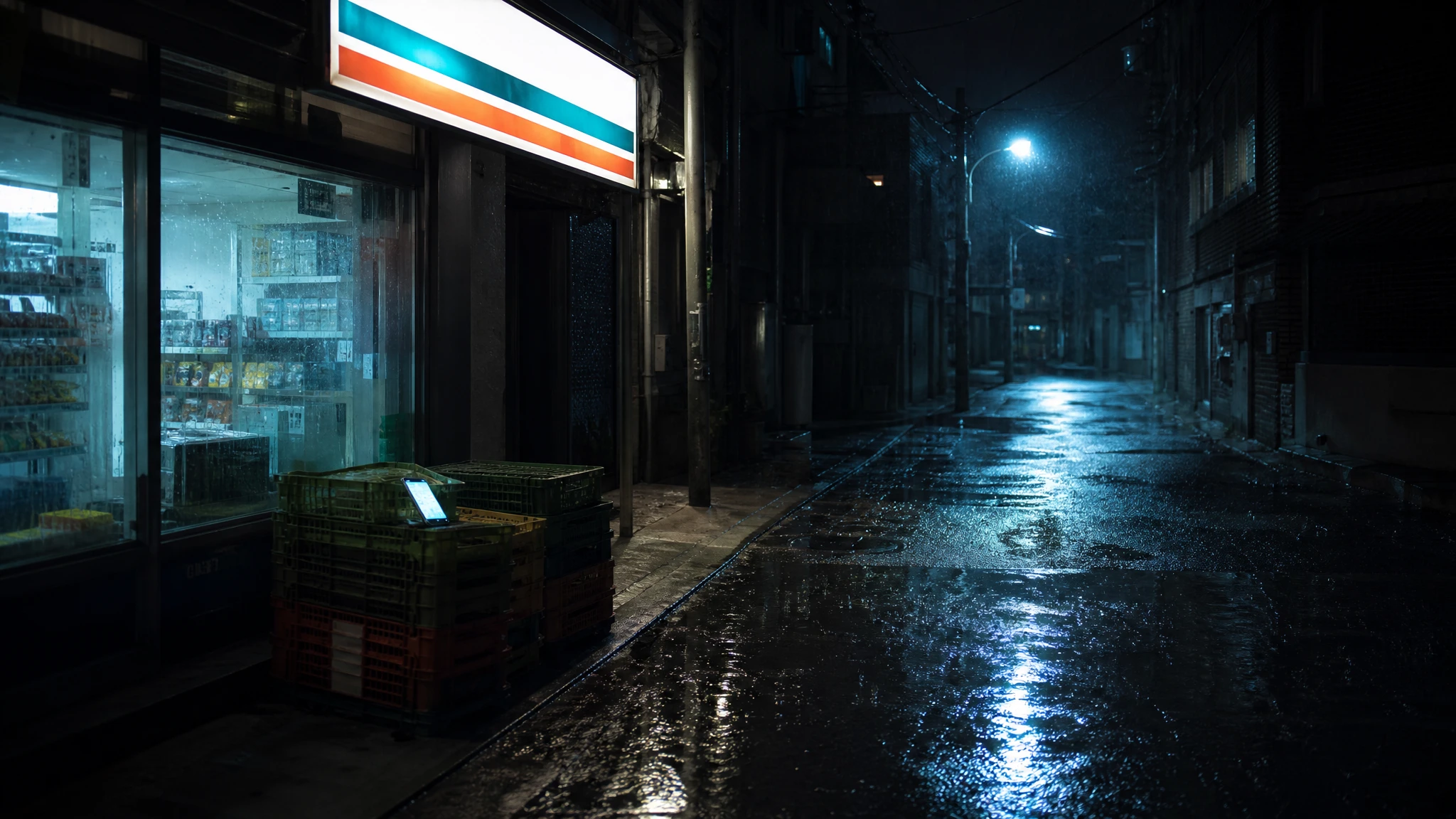
The Wish App Key Art recipe creates an original vertical key-art photograph: a fictional young adult couple in a rain-soaked Seoul alley, lit by a convenience-store sign and a cold street lamp. One holds a phone with a blank glowing screen; the other looks back over a shoulder. The prompt reserves clean negative space at the top and bottom and asks for a restrained teal-and-warm-red palette.
It also says the people must be original fictional characters, not real actors or celebrities. That is not just a legal safeguard; it keeps the image from turning into a likeness collage. If you want a real actor's face, use a licensed photo, not a generated approximation.
Field note
Use the local editor to add a short title, a subtitle, and a credit line. A common hierarchy is a large title, a smaller subtitle, and a small credit block. Keep the title to two or three words if possible. If the title is long, break it into two lines and give it more vertical space.
Check contrast behind the text. If the background is busy, add a subtle shadow or a dark gradient instead of darkening the whole image. The goal is readable type, not a black box over the artwork.
Field note
fal is a good fast route for photographic composition tests. WaveSpeed is a budget-friendly option for a simple plate. Kie's character routes can help when two original faces need to stay distinct. Replicate is useful for comparing several model families with the same prompt.
Do not use an image model to render the title. Use it for the photograph, then set the type yourself. That is the single biggest quality improvement in this workflow.
Field note
Check the poster at 200 pixels wide. If the faces disappear, the composition is too wide. Check the title at 100 percent. If the letter spacing is inconsistent, fix it before export. Check the credits; they should be small but legible. Check the file size; a high-resolution PNG is better for print, a WebP or JPEG is better for the web.
The studio page gives you a vertical composition, three original key-art recipes, and a local caption editor. It does not turn a fan concept into official artwork. Label it clearly if you share it.
Embedded studio
Open the studio
Use the image model for the photograph and the local editor for the typography. That split gives you a cleaner poster and avoids the garbled text that image models often produce.
Create an original vertical K-drama key-art photograph. A fictional young adult couple stands apart in a rain-soaked Seoul alley at night, lit by a single convenience-store sign and a cold blue street lamp. One holds a phone with a blank glowing screen; the other looks back over a shoulder. Use cinematic anamorphic photography, realistic rain, shallow depth of field, and a restrained teal-and-warm-red palette. Leave clean negative space at the top and bottom for a title. The people must be original fictional characters, not real actors or celebrities. No text, no logos, no watermarks, no extra people.
Model routing
| Provider | Best for | Typical route | Docs |
|---|---|---|---|
| falSpeed-first | Fast hosted queues and strong model coverage | FLUX, Kling, and other hosted media models | Docs |
| WaveSpeedBudget-first | Low-cost image edits and image-to-video drafts | Seedream edit, FLUX Kontext, Wan image-to-video | Docs |
| KieCharacter-first | Nano Banana image edits and Kling video routes | Nano Banana, Kling video | Docs |
| SeeAPIRouting layer | One API surface for several model families and fallback routes | Image and video inference endpoints | Docs |
| ReplicateExperiment-first | Broad catalogue for experiments and batch comparisons | Community and first-party image/video models | Docs |
FAQ
Use it for commentary or a clearly labeled fan concept only. Do not imply official affiliation or use real cast photos without permission.
Image models often misspell words or distort letterforms. A local editor gives you control over font, spacing, and legibility.
A 2:3 vertical ratio is a familiar poster shape. A 4:5 ratio works better for social feeds. Choose one before generating.
Only with an original cast, a commercial-use model license, and any required AI disclosure. Do not copy a protected film's key art.
Checked sources