English quick take
Name the subject, the frame, the light, the palette, and the empty space for the title. Then test the image at 200 pixels wide before you add typography.
 GirigoApp.com
AI Studio field note 5 min read
A poster prompt should describe one frame, not a whole plot. This guide shows the five-part structure that makes a horror poster readable at thumbnail size.
English quick take
Name the subject, the frame, the light, the palette, and the empty space for the title. Then test the image at 200 pixels wide before you add typography.
Field note
When a prompt describes a plot, the model tries to compress a whole movie into one image. The result is usually a crowded collage. A poster prompt should describe a single frame: one subject, one light idea, one palette, and a clear area for the title. The viewer should understand the mood before they read the type.
The most useful question is not "what happens in the movie?" but "what is the one image that makes someone want to know what happens?" That is the image you generate.
Field note
Part one is the subject: a mascot, a corridor, a house, a figure in a field. Part two is the frame: vertical, wide, close, or distant. Part three is the light: one practical source, one cold fill, or daylight. Part four is the palette: two or three colors, not ten. Part five is the negative space: where the title and credits will sit.
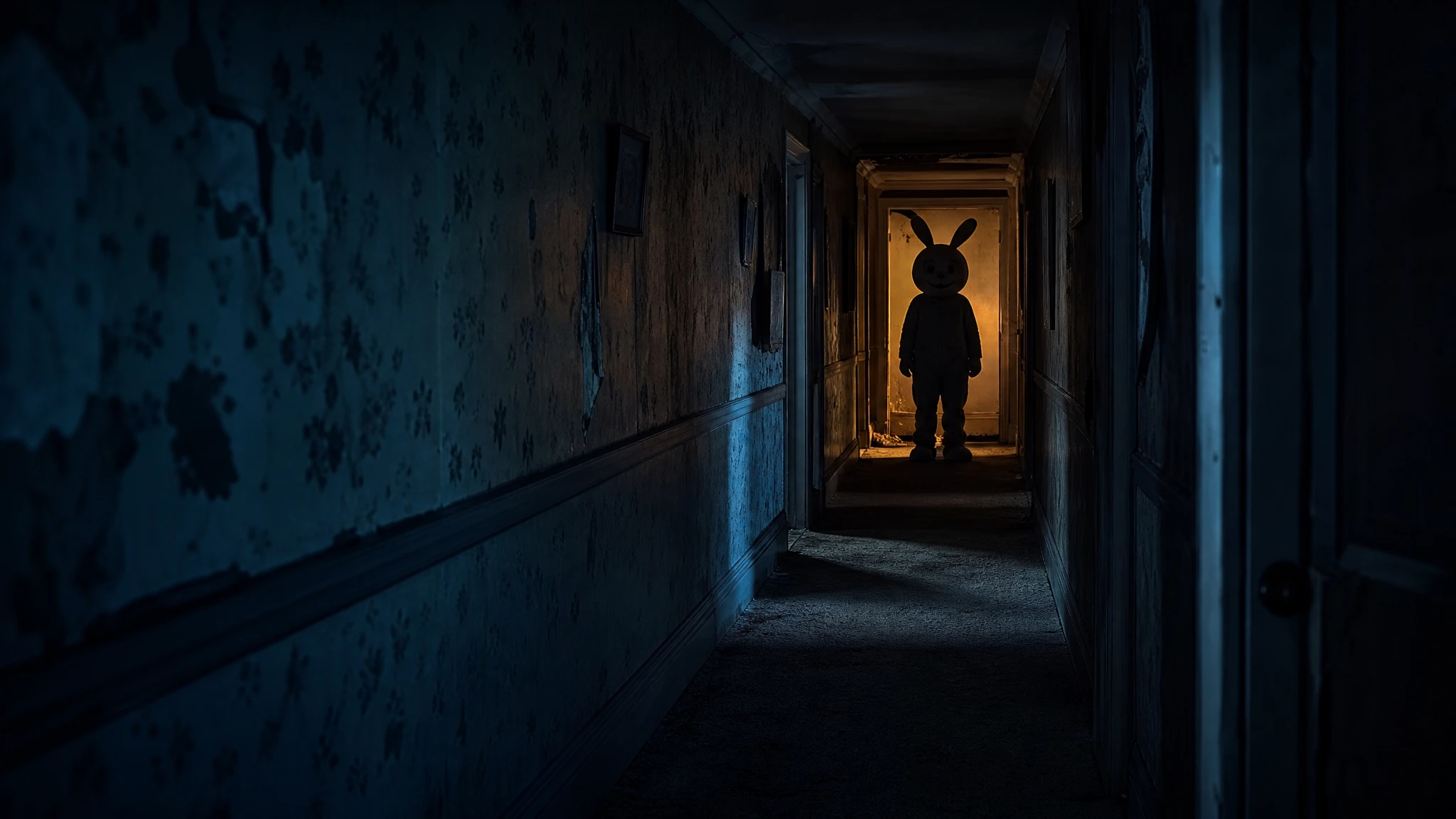
The Mascot Horror recipe uses a fictional mascot at the end of a dark hallway, one warm practical light behind the character, a cold blue fill in the foreground, and deep negative space at the top and bottom. That is a complete composition brief, not a plot summary.
Field note
Genre cues are useful: a liminal corridor, a masked figure, a folk-horror field, a VHS texture. Copying an existing poster's composition is not. The prompt should ask for an original character, an original setting, and an original title treatment. If you use a real film's logo or a real actor's face, you are no longer making a concept poster; you are making a counterfeit.
The Backrooms and Folk Horror recipes on the studio page are deliberately generic in the best sense: they use the visual grammar of the genre without copying a specific film. That gives you room to add your own title and story.
Field note
Use a budget image model for composition tests. Replicate is useful for comparing several routes. WaveSpeed and fal are good for fast iterations. Move to a stronger model only after the silhouette works at thumbnail size. A more expensive model will not fix a composition that disappears when the image is small.
If the model adds fake text, regenerate with a stronger no-text constraint or remove it in the local editor. A text-free plate is more useful than a plate with broken letters.
Field note
Shrink the poster to 200 pixels wide. Can you tell what the image is? Can you see the subject? Is there a clear dark or light area for the title? If the answer is no, the composition is too busy. Simplify the background, enlarge the subject, or increase the contrast before you add type.
Then add the title in the local editor. Check the title at 100 percent and at thumbnail size. A title that looks elegant at full size may disappear in a feed. Use a short title and a strong weight.
Field note
Generate the plate at the final aspect ratio. Keep a text-free master. Add the title and credits in the local editor. Export a high-resolution PNG for print and a compressed WebP or JPEG for the web. Keep the text-free master so you can reuse the image with a different title later.
The studio page gives you a poster plate, three genre recipes, and a local caption editor. It does not pretend to be an official studio. If you share the result, label it as an original concept or fan artwork.
Embedded studio
Open the studio
A good poster prompt is a composition brief, not a plot summary. Name the subject, the frame, the light, the palette, and the empty space for the title. Then add the type locally.
Create an original vertical horror movie poster photograph. A fictional mascot character with a round plush head and a stitched smile stands at the end of a dark suburban hallway. The costume is worn and slightly too large; the eyes are not visible. Use a single warm practical light behind the character, a cold blue fill in the foreground, and realistic carpet and wallpaper texture. Leave deep negative space at the top for a title and at the bottom for credits. The character must be an original design, not an existing copyrighted mascot. No text, no logos, no watermark, no extra people.
Model routing
| Provider | Best for | Typical route | Docs |
|---|---|---|---|
| ReplicateExperiment-first | Broad catalogue for experiments and batch comparisons | Community and first-party image/video models | Docs |
| WaveSpeedBudget-first | Low-cost image edits and image-to-video drafts | Seedream edit, FLUX Kontext, Wan image-to-video | Docs |
| falSpeed-first | Fast hosted queues and strong model coverage | FLUX, Kling, and other hosted media models | Docs |
| SeeAPIRouting layer | One API surface for several model families and fallback routes | Image and video inference endpoints | Docs |
| KieCharacter-first | Nano Banana image edits and Kling video routes | Nano Banana, Kling video | Docs |
FAQ
Use it for a clearly labeled fan concept or commentary. Do not imply official affiliation, copy the original key art, or use cast likenesses without permission.
One strong silhouette, one dominant light source, and a high-contrast area for the title. Too many details disappear in a thumbnail.
Use a budget model for composition tests, then move to a stronger model only after the silhouette works. Compare one run before a batch.
Check the model license, use original elements, and disclose AI assistance where required. Do not sell a design that copies a protected film's key art.
Checked sources