English quick take
Use the costume prompts as original interpretations, not exact copies of copyrighted characters. The local editor gives you a free silhouette and color test before you spend model credits.
 GirigoApp.com
Girigo AI Studio 10 min read
Build an original costume preview from your own photo, keep your face intact, and decide whether the look is worth generating at higher resolution.
English quick take
Use the costume prompts as original interpretations, not exact copies of copyrighted characters. The local editor gives you a free silhouette and color test before you spend model credits.
Local look lab
Upload a photo you own. The canvas, grade, grain, and caption stay in this browser.
Choose a photo to start. Nothing leaves this browser.
Prompt studio
Pick a look, set the direction, and copy a prompt that names what must stay fixed.
Direction: cinematic portrait; preserve identity; one person.
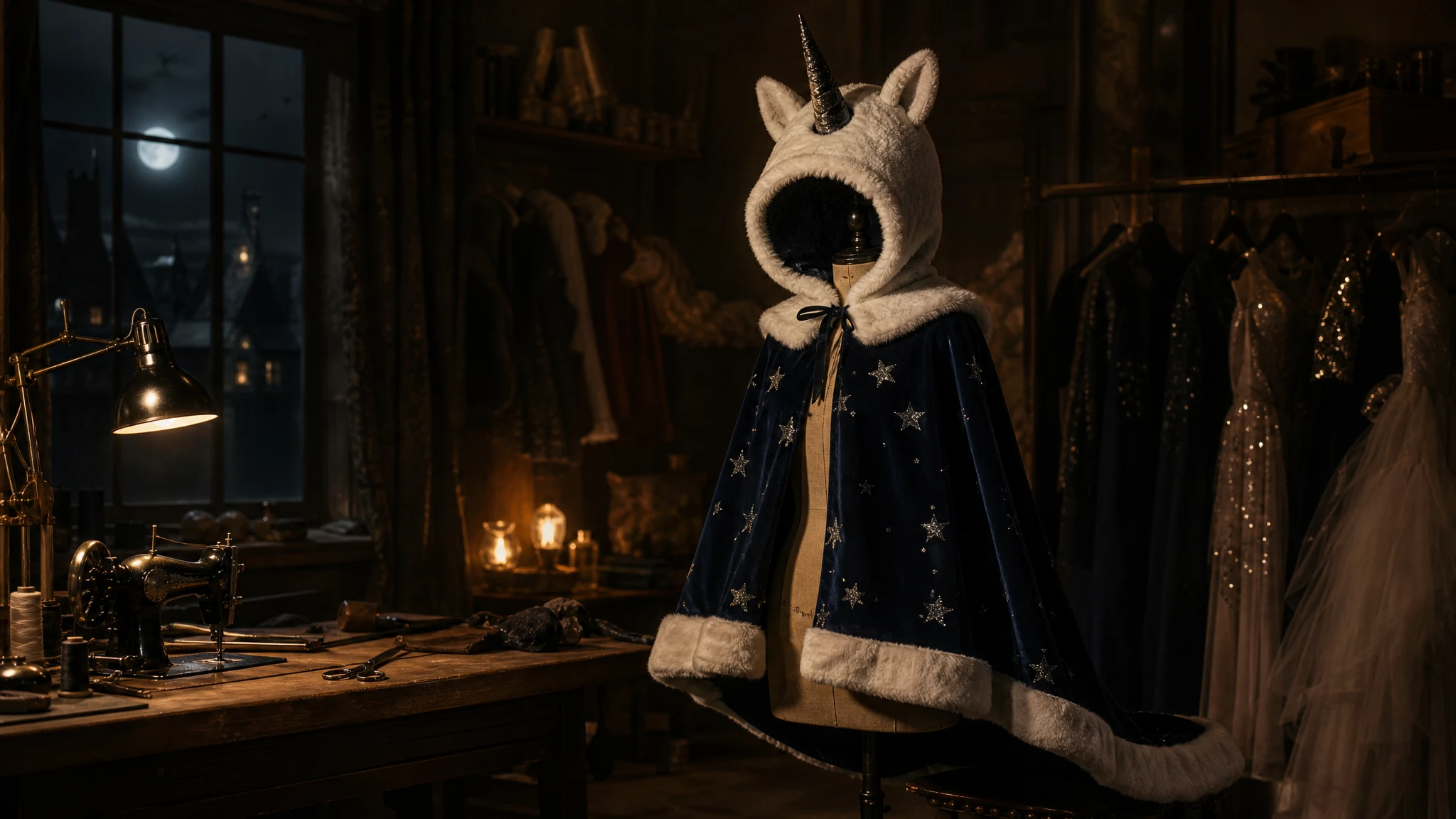
Use the uploaded photo as the identity reference. Preserve the subject's face, skin tone, age, body proportions, and pose. Create an original haunted unicorn mascot costume: a soft ivory plush hood with a single dark horn, a ruffled collar, and a midnight-blue cape with tiny silver stars. The costume should look wearable and fitted, not like a full-body mascot suit. Place the subject in a foggy autumn fairground with one warm string light and a dark carousel in the background. Use photorealistic editorial costume photography, natural fabric texture, and soft cinematic light. Keep one person only. Avoid a new face, extra limbs, plastic skin, readable logos, and watermarks.
Three useful outcomes
A local color-and-crop preview makes the idea concrete.
Open the studioThe prompt fixes identity before it describes the costume.
Open the studioUse trend cues and original design language instead.
Open the studioPrompt lab
A character-consistency route is useful when the costume has a strong silhouette.
Use the uploaded photo as the identity reference. Preserve the subject's face, skin tone, age, body proportions, and pose. Create an original haunted unicorn mascot costume: a soft ivory plush hood with a single dark horn, a ruffled collar, and a midnight-blue cape with tiny silver stars. The costume should look wearable and fitted, not like a full-body mascot suit. Place the subject in a foggy autumn fairground with one warm string light and a dark carousel in the background. Use photorealistic editorial costume photography, natural fabric texture, and soft cinematic light. Keep one person only. Avoid a new face, extra limbs, plastic skin, readable logos, and watermarks.
Avoid: new face, full-body mascot head, extra limbs, plastic skin, logos, watermark
Seedream-style edit routes tend to handle fabric and scene replacement well.
Edit the uploaded photo into an original celestial Halloween princess portrait. Preserve the subject's recognizable face, natural skin texture, body proportions, and pose. Replace the outfit with a midnight-blue fantasy gown featuring silver embroidery, softly glowing star patterns, and realistic flowing fabric. Add a delicate silver moon crown and luminous accessories. Place the subject inside a moonlit observatory with a starry sky visible through tall windows. Use elegant fantasy fashion photography, realistic fabric detail, cinematic rim lighting, and a deep-blue, silver, and violet palette. Keep the person recognizable and keep one person only. Avoid altered facial identity, extra people, distorted anatomy, text, and watermarks.
Avoid: altered identity, extra people, distorted anatomy, text, watermark
Fast queue is useful when you are testing several costume silhouettes.
Use the uploaded photo as the primary reference. Keep the subject's face, head proportions, skin tone, and original pose recognizable. Create a realistic wearable galactic hero costume with brushed-metal shoulder pieces, a fitted charcoal flight suit, and a single blue visor accessory. The costume must look like something a real person could wear, not a complete mechanical body. Use dramatic blue-and-orange studio lighting, realistic material reflections, and a clean dark backdrop with a faint starfield. Do not replace the face with a helmet or robot head. Avoid extra limbs, duplicated hands, logos, text, and watermarks.
Avoid: helmet face, robot head, extra limbs, duplicated hands, logos, text
WaveSpeed, SeeAPI, fal, Replicate, Kie
| Provider | Best for | Typical route | Docs |
|---|---|---|---|
| KieCharacter-first | Nano Banana image edits and Kling video routes | Nano Banana, Kling video | Docs |
| WaveSpeedBudget-first | Low-cost image edits and image-to-video drafts | Seedream edit, FLUX Kontext, Wan image-to-video | Docs |
| falSpeed-first | Fast hosted queues and strong model coverage | FLUX, Kling, and other hosted media models | Docs |
| SeeAPIRouting layer | One API surface for several model families and fallback routes | Image and video inference endpoints | Docs |
| ReplicateExperiment-first | Broad catalogue for experiments and batch comparisons | Community and first-party image/video models | Docs |
Step by step
Failure modes
Editorial brief
A costume generator is not a shopping cart. It is a visual decision tool. The useful question is not "can AI make a costume?" but "can I see whether this silhouette, color, and mood work on my body before I spend money?" That is why the prompt starts with the photo and the pose, then adds the costume, and only then adds the scene.
Treat the first generation as a sketch. Check the shoulders, waist, hands, and face at 100 percent. If the costume shape is right but the fabric is wrong, change one wardrobe clause. If the face is wrong, stop changing the costume and fix the identity clause or the reference photo. This one-change-at-a-time loop saves more credits than a long prompt full of conflicting ideas.
Deeper guide
The prompt is only half the job. The field note walks through the failure modes, the identity check, and the model comparison behind this page.
Open the field noteFAQ
It should not be used that way. Use the trend as a cue and ask for an original costume with a similar mood. Exact character replicas can raise copyright and likeness issues.
A sharp three-quarter or full-body photo with even light and visible hands works best. Avoid group photos, heavy filters, and images where the outfit is already busy.
Start with a budget image-edit route on WaveSpeed or a character-focused route on Kie. If the silhouette is wrong, a more expensive model will not fix the composition.
Yes. The local editor on this page lets you test crop, color grade, grain, and caption placement for free. It does not generate a new costume; it helps you decide what to generate.
Checked sources