English quick take
Pet prompts fail when they change the species or hide the paws. These recipes lock the animal first, then add a costume and a set, and they tell the model exactly which anatomy errors to avoid.
 GirigoApp.com
Girigo AI Studio 10 min read
Turn a pet photo into a warm, funny, or eerie Halloween portrait while keeping the animal's breed, markings, and body shape believable.
English quick take
Pet prompts fail when they change the species or hide the paws. These recipes lock the animal first, then add a costume and a set, and they tell the model exactly which anatomy errors to avoid.
Local look lab
Upload a photo you own. The canvas, grade, grain, and caption stay in this browser.
Choose a photo to start. Nothing leaves this browser.
Prompt studio
Pick a look, set the direction, and copy a prompt that names what must stay fixed.
Direction: cinematic portrait; preserve identity; one person.
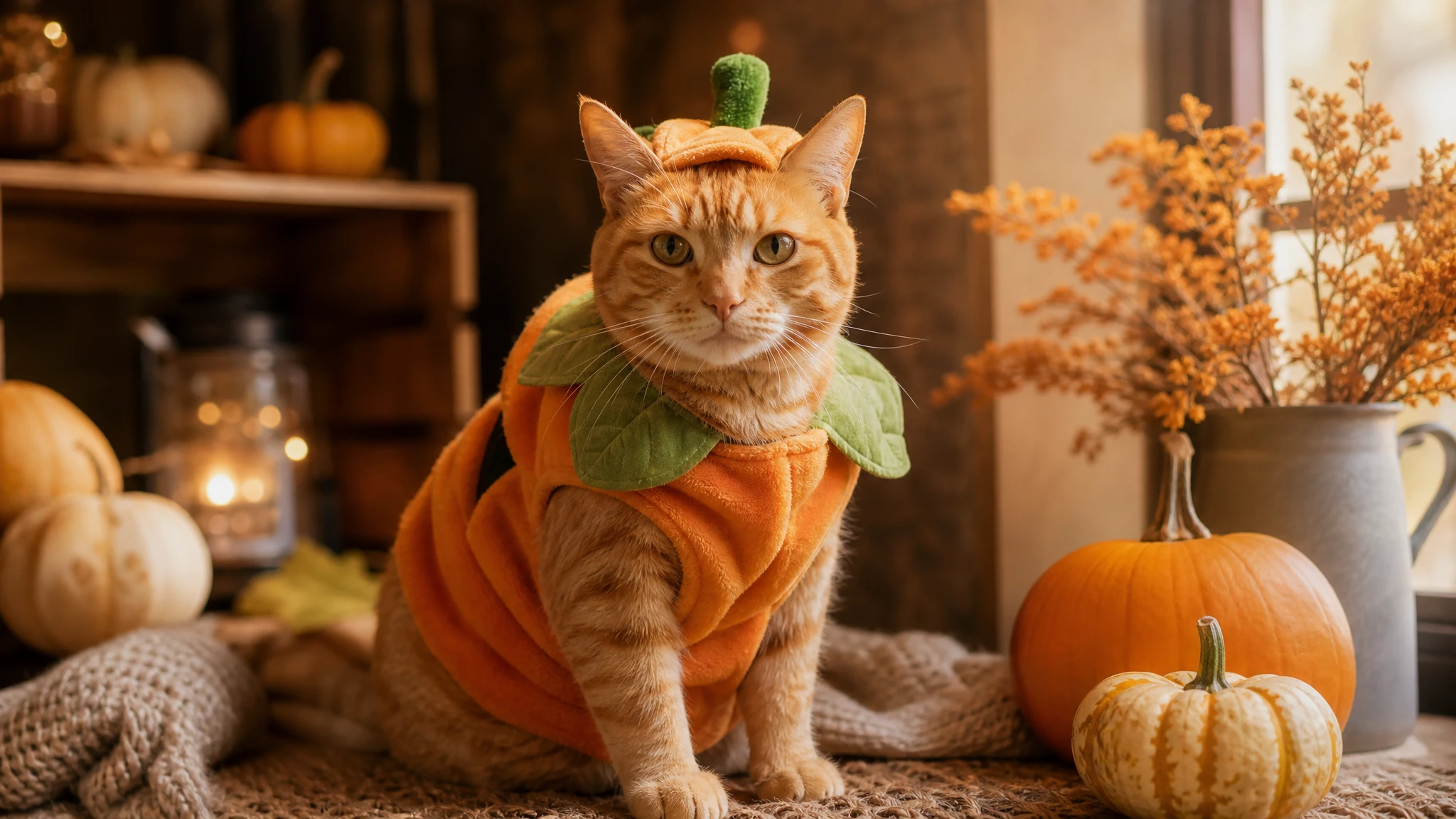
Use the uploaded pet photo as the primary reference. Preserve the animal's original breed, fur color, distinctive markings, eye color, facial appearance, and natural anatomy. Dress the pet in a soft pumpkin-inspired Halloween costume with a small green leaf accessory. Keep the costume fitted naturally without covering the animal's eyes or changing its species. Place the pet in a cozy autumn photography studio with warm lighting and miniature pumpkins. Create a photorealistic professional pet portrait with realistic fur texture and natural shadows. Avoid extra animals, unnatural paws, duplicated limbs, text, and watermarks.
Three useful outcomes
Breed, markings, eyes, and body shape are named as invariants.
Open the studioThe local editor helps you test crop, warmth, and caption.
Open the studioUse a square crop for profiles or a 4:5 crop for a post.
Open the studioPrompt lab
A budget-friendly first test for fur and fabric.
Use the uploaded pet photo as the primary reference. Preserve the animal's original breed, fur color, distinctive markings, eye color, facial appearance, and natural anatomy. Dress the pet in a soft pumpkin-inspired Halloween costume with a small green leaf accessory. Keep the costume fitted naturally without covering the animal's eyes or changing its species. Place the pet in a cozy autumn photography studio with warm lighting and miniature pumpkins. Create a photorealistic professional pet portrait with realistic fur texture and natural shadows. Avoid extra animals, unnatural paws, duplicated limbs, text, and watermarks.
Avoid: extra animals, unnatural paws, duplicated limbs, changed breed, text, watermark
Good for testing how the model handles small costume details.
Edit the uploaded pet photo into a playful glow-in-the-dark dinosaur costume portrait. Preserve the pet's breed, fur pattern, eye color, head shape, and body proportions. Add a soft green dinosaur hood with tiny felt spikes and a faint phosphorescent glow along the seams. The costume must fit like a real pet garment and must not cover the eyes or mouth. Use a dark studio with a soft green rim light and one warm fill light. Keep the pet standing or sitting in its original pose. Avoid changing the species, adding a second pet, stretching the body, or creating extra paws. No text or watermarks.
Avoid: species change, second pet, stretched body, extra paws, text, watermark
Use a character route when the costume has a simple graphic shape.
Use the uploaded pet photo as the identity reference. Keep the animal's face, fur, markings, and natural anatomy unchanged. Create a clean, funny Halloween costume that turns the pet into a stick of butter: a soft yellow rectangular costume with a simple foil wrapper and a tiny label area with no readable text. Keep the costume comfortable and visible from the front. Place the pet on a warm cream backdrop with soft studio lighting and a few autumn leaves. Use a photorealistic pet portrait with natural fur texture. Avoid extra limbs, a second animal, a human body, text, logos, and watermarks.
Avoid: extra limbs, second animal, human body, text, logos, watermark
WaveSpeed, SeeAPI, fal, Replicate, Kie
| Provider | Best for | Typical route | Docs |
|---|---|---|---|
| WaveSpeedBudget-first | Low-cost image edits and image-to-video drafts | Seedream edit, FLUX Kontext, Wan image-to-video | Docs |
| falSpeed-first | Fast hosted queues and strong model coverage | FLUX, Kling, and other hosted media models | Docs |
| KieCharacter-first | Nano Banana image edits and Kling video routes | Nano Banana, Kling video | Docs |
| SeeAPIRouting layer | One API surface for several model families and fallback routes | Image and video inference endpoints | Docs |
| ReplicateExperiment-first | Broad catalogue for experiments and batch comparisons | Community and first-party image/video models | Docs |
Step by step
Failure modes
Editorial brief
Pets are a harder image-edit problem than people because the model has fewer familiar costume examples to copy. It knows what a dog looks like and what a pumpkin looks like, but it has less practice combining the two without inventing a third thing. The fix is not a longer prompt. It is a stricter reference and a short list of anatomy invariants.
Start with a photo where the pet's silhouette is clear. If the pet is lying down, the model has to invent the hidden legs; if the pet is standing, the paws are visible and easier to preserve. Generate a low-cost test, then inspect the eyes, ears, paws, and tail in that order. Only after those pass should you judge the costume. A cute costume on a broken animal is not a usable result.
Deeper guide
The prompt is only half the job. The field note walks through the failure modes, the identity check, and the model comparison behind this page.
Open the field noteFAQ
Yes, but the prompt should name the species and the visible anatomy. Cats and dogs have different ear, muzzle, and paw shapes, so a generic pet prompt often produces a hybrid.
The model is filling in an unfamiliar costume shape. Show the paws in the reference, keep the pose simple, and repeat the negative constraints. If the issue persists, change the model rather than adding more adjectives.
Only if you disclose that it is AI-generated and you have the rights to the source photo. Do not use it to imply a real pet wore a real product without evidence.
A low-cost image-edit route on WaveSpeed is a sensible first test. Move to a stronger model only after the pose and costume shape are right.
Checked sources